The acquisition and processing of a video stream can be very computationally expensive. Typical image processing applications split the work across multiple threads, one acquiring the images, and another one running the actual algorithms. In MATLAB we can get multi-threading by interfacing with other languages, but there is a significant cost associated with exchanging data across the resulting language barrier. In this blog post, we compare different approaches for getting data through MATLAB’s Java interface, and we show how to acquire high-resolution video streams in real-time and with low overhead.
Motivation
For our booth at ICRA 2014, we put together a demo system in MATLAB that used stereo vision for tracking colored bean bags, and a robot arm to pick them up. We used two IP cameras that streamed H.264 video over RTSP. While developing the image processing and robot control parts worked as expected, it proved to be a challenge to acquire images from both video streams fast enough to be useful.
-
IP Camera Support only supports MJPEG over HTTP and didn’t exist at the time
-
USB Webcam Support only supports USB cameras
-
imread and webread are limited to HTTP and too slow for real-time
Since we did not want to switch to another language, we decided to develop a small library for acquiring video streams. The project was later open sourced as HebiCam.
Technical Background
In order to save bandwidth most IP cameras compress video before sending it over the network. Since the resulting decoding step can be computationally expensive, it is common practice to move the acquisition to a separate thread in order to reduce the load on the main processing thread.
Unfortunately, doing this in MATLAB requires some workarounds due to the language’s single threaded nature, i.e., background threads need to run in another language. Out of the box, there are two supported interfaces: MEX for calling C/C++ code, and the Java Interface for calling Java code.
While both interfaces have strengths and weaknesses, practically all use cases can be solved using either one. For this project, we chose the Java interface in order to simplify cross-platform development and the deployment of binaries. The diagram below shows an overview of the resulting system.

Figure 1. System overview for a stereo vision setup
Starting background threads and getting the video stream into Java was relatively straightforward. We used the JavaCV library, which is a Java wrapper around OpenCV and FFMpeg that includes pre-compiled native binaries for all major platforms. However, passing the acquired image data from Java into MATLAB turned out to be more challenging.
The Java interface automatically converts between Java and MATLAB types by following a set of rules. This makes it much simpler to develop for than the MEX interface, but it does cause additional overhead when calling Java functions. Most of the time this overhead is negligible. However, for certain types of data, such as large and multi-dimensional matrices, the default rules are very inefficient and can become prohibitively expensive. For example, a 1080x1920x3 MATLAB image matrix gets translated to a byte[1080][1920][3] in Java, which means that there is a separate array object for every single pixel in the image.
As an additional complication, MATLAB stores image data in a different memory layout than most other libraries (e.g. OpenCV’s Mat or Java’s BufferedImage). While pixels are commonly stored in row-major order ([width][height][channels]), MATLAB stores images transposed and in column-major order ([channels][width][height]). For example, if the Red-Green-Blue pixels of a BufferedImage would be laid out as [RGB][RGB][RGB]…, the same image would be laid out as [RRR…][GGG…][BBB…] in MATLAB. Depending on the resolution this conversion can become fairly expensive.
In order to process images at a frame rate of 30 fps in real-time, the total time budget of the main MATLAB thread is 33ms per cycle. Thus, the acquisition overhead imposed on the main thread needs to be sufficiently low, i.e., a low number of milliseconds, to leave enough time for the actual processing.
Data Translation
We benchmarked five different ways to get image data from Java into MATLAB and compared their respective overhead on the main MATLAB thread. We omitted overhead incurred by background threads because it had no effect on the time budget available for image processing.
The full benchmark code is available here.
1. Default 3D Array
By default MATLAB image matrices convert to byte[height][width][channels] Java arrays. However, when converting back to MATLAB there are some additional problems:
-
bytegets converted toint8instead ofuint8, resulting in an invalid image matrix -
changing the type back to
uint8is somewhat messy because theuint8(matrix)cast sets all negative values to zero, and the alternativetypecast(matrix, 'uint8')only works on vectors
Thus, converting the data to a valid image matrix still requires several operations.
% (1) Get matrix from byte[height][width][channels]
data = getRawFormat3d(this.javaConverter);
[height,width,channels] = size(data);

% (2) Reshape matrix to vector
vector = reshape(data, width * height * channels, 1);

% (3) Cast int8 data to uint8
vector = typecast(vector, 'uint8');

% (4) Reshape vector back to original shape
image = reshape(vector, height, width, channels);
2. Compressed 1D Array
A common approach to move image data across distributed components (e.g. ROS) is to encode the individual images using MJPEG compression. Doing this within a single process is obviously wasteful, but we included it because it is common practice in many distributed systems. Since MATLAB did not offer a way to decompress jpeg images in memory, we needed to save the compressed data to a file located on a RAM disk.
% (1) Get compressed data from byte[]
data = getJpegData(this.javaConverter);

% (2) Save as jpeg file
fileID = fopen('tmp.jpg','w+');
fwrite(fileID, data, 'int8');
fclose(fileID);

% (3) Read jpeg file
image = imread('tmp.jpg');
3. Java Layout as 1D Pixel Array
Another approach is to copy the pixel array of Java’s BufferedImage and to reshape the memory using MATLAB. This is also the accepted answer for How can I convert a Java Image object to a MATLAB image matrix?.
% (1) Get data from byte[] and cast to correct type
data = getJavaPixelFormat1d(this.javaConverter);
data = typecast(data, 'uint8');
[h,w,c] = size(this.matlabImage); % get dim info

 % (2) Reshape matrix for indexing
pixelsData = reshape (data, 3 , w, h);

 % (3) Transpose and convert from row major to col major format (RGB case)
image = cat (3 , ...
    transpose(reshape (pixelsData(3 , :, :), w, h)), ...
    transpose(reshape (pixelsData(2 , :, :), w, h)), ...
    transpose(reshape (pixelsData(1 , :, :), w, h)));
4. MATLAB Layout as 1D Pixel Array
The fourth approach also copies a single pixel array, but this time the pixels are already stored in the MATLAB convention.
 % (1) Get data from byte[] and cast to correct type
data = getMatlabPixelFormat1d(this.javaConverter);
[h,w,c] = size (this.matlabImage);   % get dim info
vector = typecast(data, 'uint8' );

 % (2) Interpret pre-laid out memory as matrix
image = reshape (vector,h,w,c);
Note that the most efficient way we found for converting the memory layout on the Java side was to use OpenCV’s split and transpose functions. The code can be found in MatlabImageConverterBGR and MatlabImageConverterGrayscale.
5. MATLAB Layout as Shared Memory
The fifth approach is the same as the fourth with the difference that the Java translation layer is bypassed entirely by using shared memory via memmapfile. Shared memory is typically used for inter-process communication, but it can also be used within a single process. Running within the same process also simplifies synchronization since MATLAB can access Java locks.
 % (1) Lock memory
lock(this.javaObj);

 % (2) Force a copy of the data
image = this.memFile.Data.pixels * 1 ;

 % (3) Unlock memory
unlock(this.javaObj);
Note that the code could be interrupted (ctrl+c) at any line, so the locking mechanism would need to be able to recover from bad states, or the unlocking would need to be guaranteed by using a destructor or onCleanup.
The multiplication by one forces a copy of the data. This is necessary because under-the-hood memmapfile only returns a reference to the underlying memory.
Results
All benchmarks were run in MATLAB 2017b on an Intel NUC6I7KYK. The performance was measured using MATLAB’s timeit function. The background color of each cell in the result tables represents a rough classification of the overhead on the main MATLAB thread.
| Color | Overhead | At 30 FPS |
|---|---|---|
|
Green |
<10% |
<3.3 ms |
|
Yellow |
<50% |
<16.5 ms |
|
Orange |
<100% |
<33.3 ms |
|
Red |
>100% |
>33.3 ms |
The two tables below show the results for converting color (RGB) images as well as grayscale images. All measurements are in milliseconds.

Figure 2. Conversion overhead on the MATLAB thread in [ms]
The results show that the default conversion, as well as jpeg compression, are essentially non-starters for color images. For grayscale images, the default conversion works significantly better due to the fact that the data is stored in a much more efficient 2D array (byte[height][width]), and that there is no need to re-order pixels by color. Unfortunately, we currently don’t have a good explanation for the ~10x cost increase (rather than ~4x) between 1080p and 4K grayscale. The behavior was the same across computers and various different memory settings.
When copying the backing array of a BufferedImage we can see another significant performance increase due to the data being stored in a single contiguous array. At this point much of the overhead comes from re-ordering pixels, so by doing the conversion beforehand, we can get another 2-3x improvement.
Lastly, although accessing shared memory in combination with the locking overhead results in a slightly higher fixed cost, the copying itself is significantly cheaper, resulting in another 2-3x speedup for high-resolution images. Overall, going through shared memory scales very well and would even allow streaming of 4K color images from two cameras simultaneously.
Final Notes
Our main takeaway was that although MATLAB’s Java interface can be inefficient for certain cases, there are simple workarounds that can remove most bottlenecks. The most important rule is to avoid converting to and from large multi-dimensional matrices whenever possible.
Another insight was that shared-memory provides a very efficient way to transfer large amounts of data to and from MATLAB. We also found it useful for inter-process communication between multiple MATLAB instances. For example, one instance can track a target while another instance can use its output for real-time control. This is useful for avoiding coupling a fast control loop to the (usually lower) frame rate of a camera or sensor.
As for our initial motivation, after creating HebiCam we were able to develop and reliably run the entire demo in MATLAB. The video below shows the setup using old-generation S-Series actuators.
 Satellites already provide millions of GPS coordinates for connected systems. However, the accuracy of GPS has been off by as many as 5 meters, which in a fully autonomous world could mean the difference between life and death. Chip manufacturer Broadcom aims to reduce the error margin to 30 centimeters. According to a press release this summer, Broadcom’s technology works better in concrete canyons like New York which have plagued Uber drivers for years with wrong fare destinations. Using new L5 satellite signals, the chips are able to calculate receptions between points at a fast rate with lower power consumption (see diagram). Manuel del Castillo of Broadcom explained, “Up to now there haven’t been enough L5 satellites in orbit.” Currently there are approximately 30 L5 satellites in orbit. However, del Castillo suggests that could be enough to begin shipping the new chip next year, “[Even in a city’s] narrow window of sky you can see six or seven, which is pretty good. So now is the right moment to launch.”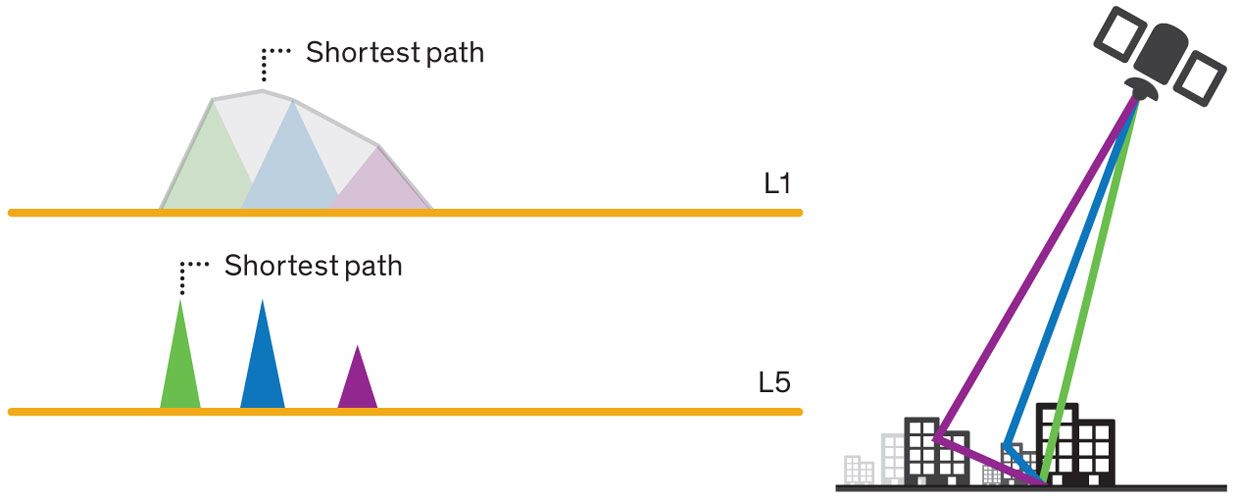




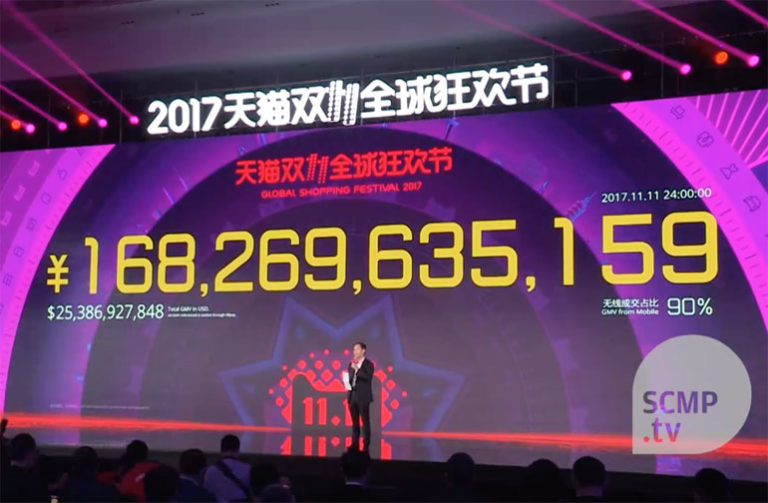
 Here are a few of the robotics-related Chinese warehousing systems vendors that are helping move the massive volume of 11/11’s 1.5 billion packages: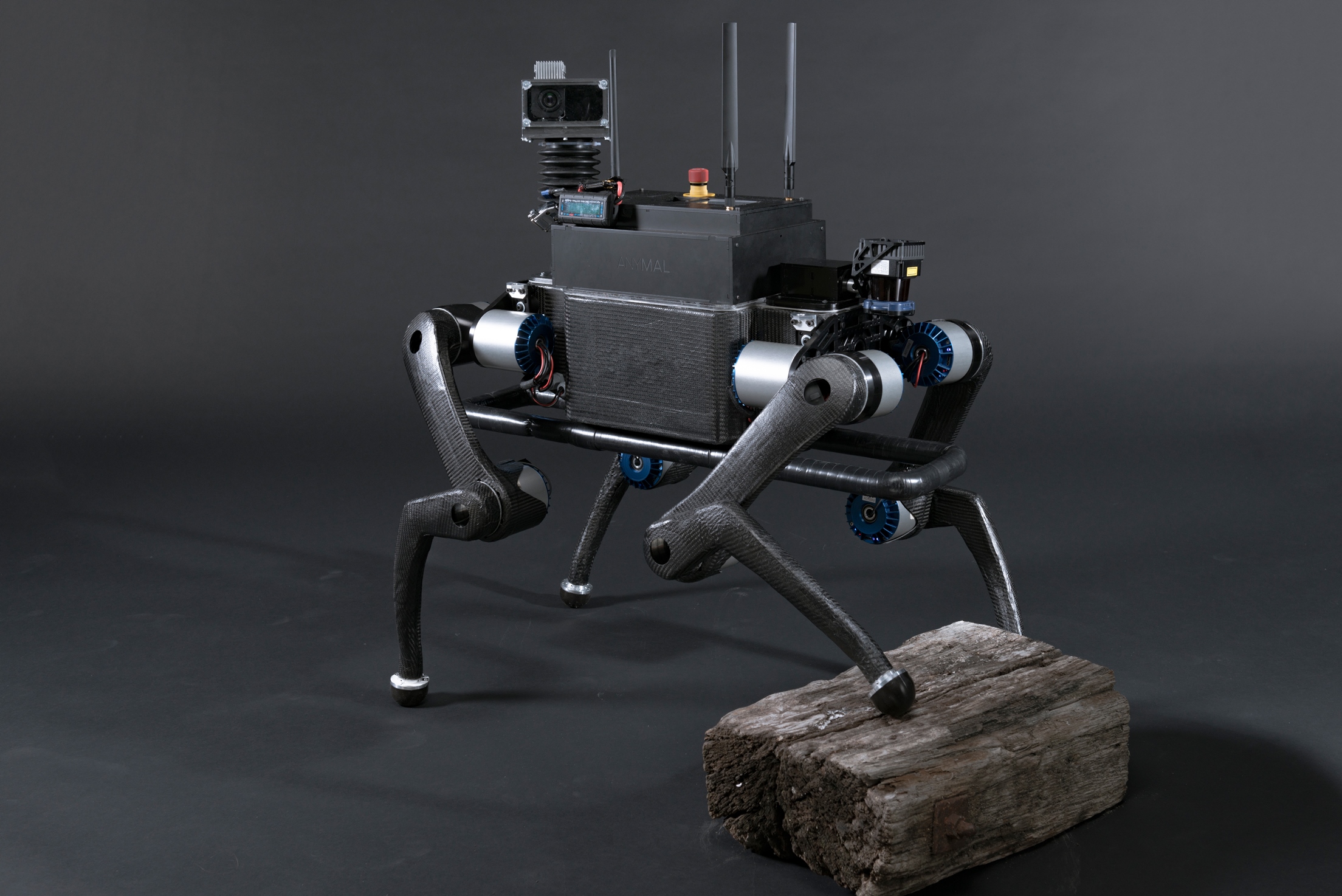
 Marco Hutter is assistant professor for Robotic Systems at ETH Zürich since 2015 and Branco Weiss Fellow since 2014. Before this, he was deputy director and group leader in the field of legged robotics at the Autonomous Systems Lab at ETH Zürich. After studying mechanical engineering, he conducted his doctoral degree in robotics at ETH with focus on design, actuation, and control of dynamic legged robotic systems. Beside his commitment within the National Centre of Competence in Research (NCCR) Digital Fabrication since October 2015 Hutter is part of the NCCR robotics and coordinator of several research projects, industrial collaborations, and international competitions (e.g. ARGOS challenge) that target the application of high-mobile autonomous vehicles in challenging environments such as for search and rescue, industrial inspection, or construction operation. His research interests lie in the development of novel machines and actuation concepts together with the underlying control, planning, and optimization algorithms for locomotion and manipulation.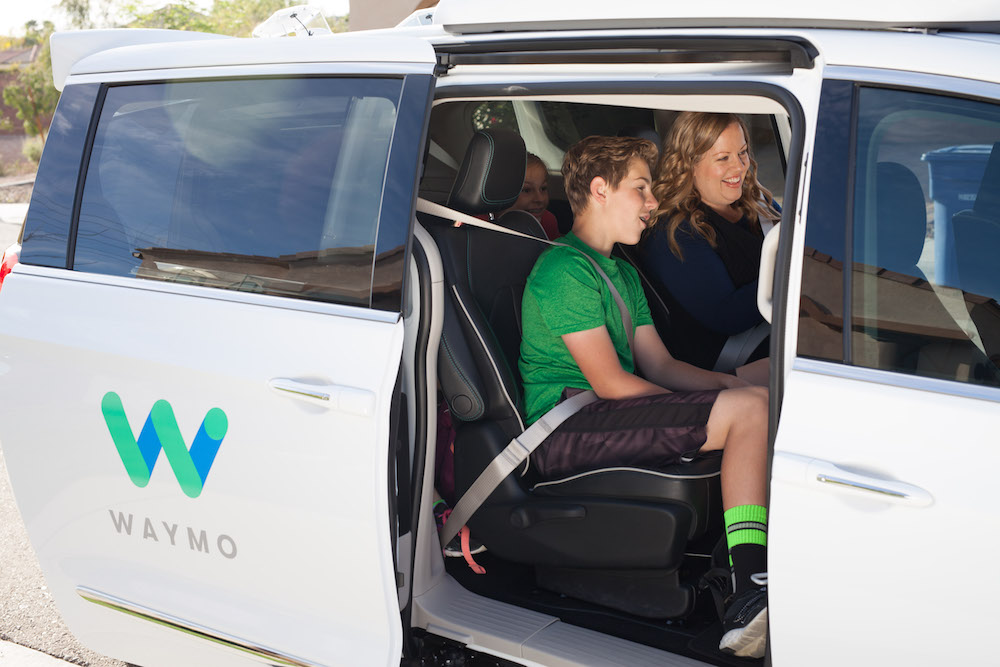
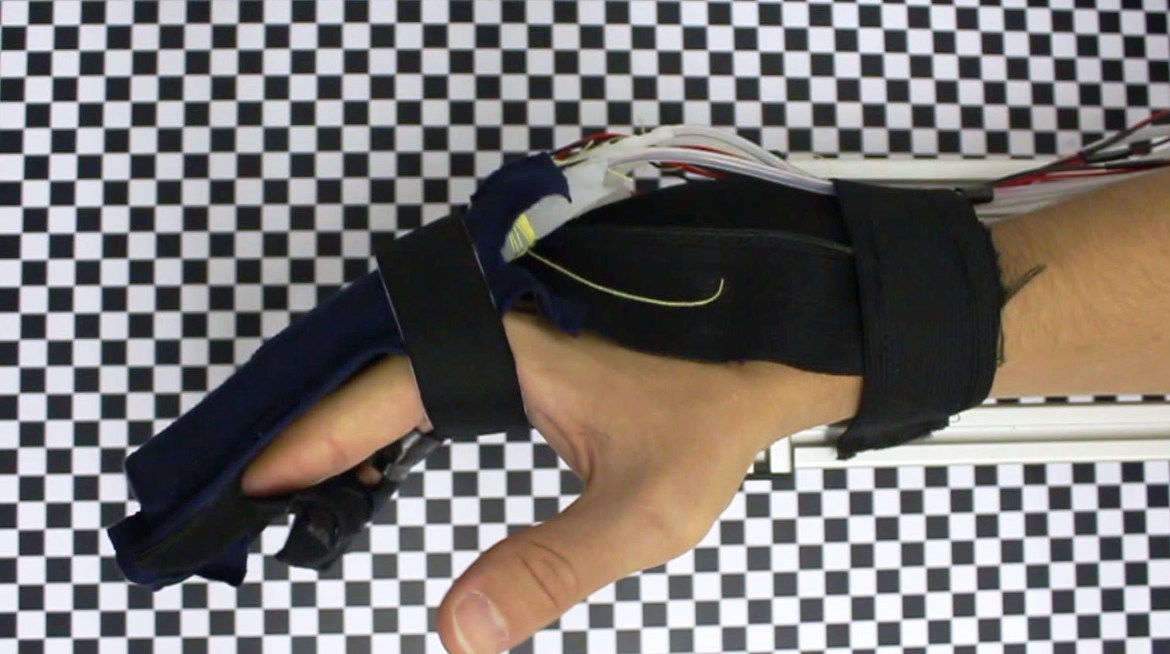


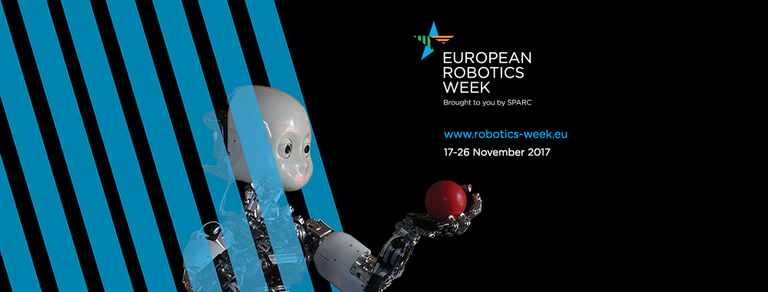 The importance of robotics for Europe’s regions will be the focus of a week-long celebration of robotics taking place around Europe on 17–27 November 2017. The
 Plentiful money and sky high valuations are causing more companies to delay IPOs. The SoftBank Vision Fund is a key enabler of this recent phenomena. Founded in 2017 with a goal of $100 billion (they closed with $93 billion) with principle investors including SoftBank, Saudi Arabia’s sovereign wealth fund, Abu Dhabi’s national wealth fund, Apple, Foxconn, Qualcomm and Sharp, the Fund has been disbursing at a rapid pace. According to

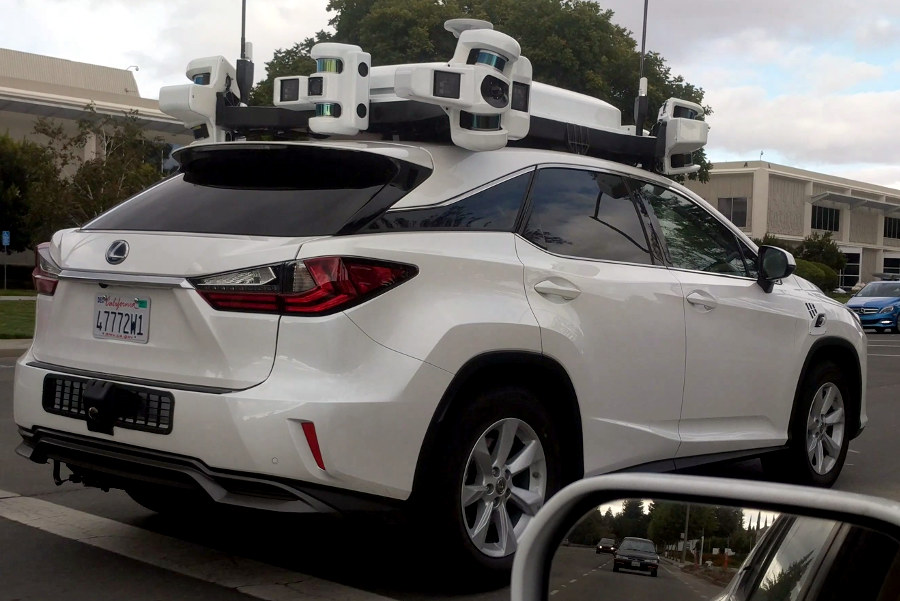
 Twenty-eight different startups were funded in October cumulatively raising $862 million, up from $507 million in September. Three of the top four fundings were for startups involved in the self-driving process. An additional five lower-amount startups were also funded for self-driving applications or components along with two of the six acquisitions.